header
  • Guide
    • Home
    • Our clients
    • Keyboards
      • Polynesian Keyboard
      • Polynesian Keyboard app
      • Moana Series
      • Micronesian Keyboard
  • Services
    • Linguistic Assistance
      • Translation
      • Typesetting
      • Localization
      • Community Review
      • Proofreading
      • Contraction
      • Transcription
      • Subtitling
      • Voice Recording
    • Polynesian Branding
      • How it works
      • The Art of Naming
      • Linguistic Techniques
      • Case Studies
  • Languages
  • Domains of Expertise
  • Culture
    • Mimeʻs Companion™
    • Quiz on Polynesian Brands
  • Frequently-Asked Questions
  • Home
  • The Polynesian Keyboard

Polynesian Keyboard

THE POLYNESIAN KEYBOARD

The easiest tool to write macrons.

Reo Māori - Gagana Sāmoa - Lea fakatonga - Tau gagana Tokelau - Vagahau Niuē - ʻGana Tūvalu - Reo Rarotonga - ʻŌlelo Hawaiʻi - Reo Tahiti - Reʻo Rapa Nui
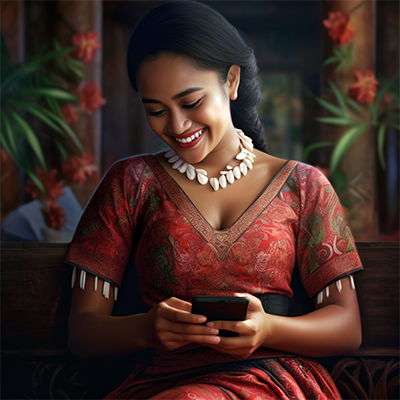
Woman using Polynesian Keyboard

Frequently Asked Questions

What is a macron?
Most Polynesian alphabets have 5 vowels: A - E - I - O - U. The macron is a diacritical mark used to indicate a long vowel: Ā - Ē - Ī - Ō - Ū - ā - ē - ī - ō - ū
What is the Polynesian Keyboard?
The Polynesian Keyboard is a regular English QWERTY keyboard with integrated macron function.
How to place a macron on a vowel?
On Windows:
For lower case letters: Alt Gr + Vowel (or the 2nd Alt + Vowel depending on keyboard)
For upper case letters: Alt Gr + Shift + Vowel

On OS X:
For lower case letters: Option key + Vowel
For upper case letters: Option key + Shift + Vowel
What systems are supported?
Windows: NT 4.0, 2000, XP, Server 2003, Vista, 7, 8, 10, 11
OS X: 10.4 through 12

Get your keyboard!

Download the Polynesian Keyboard for your desktop now!

Windows OS X

See also...

French AZERTY - Win French QWERTY - Win French AZERTY - OS X French QWERTY - OS X Spanish QWERTY - Win

The Polynesian Keyboard for Android

Polynesian Keyboard on Mobile

Macron Fast & Easy

The Polynesian Keyboard app saves you time and brings you fun: Users no longer need to browse through a list of accented vowels to type macrons. Simply long-press on the vowel to macronize it!

Apostrophe on Main Characters

In many Polynesian languages and dialects, the apostrophe is needed to write glottal stops. Huri Translations has integrated the apostrophe into the main set of characters so it's just faster and easier to write!

Seven Polynesian Delicacies

The Polynesian Keyboard comes in seven different themes to suit your taste!

Tahitian Vanilla
Tahitian Vanilla
Get it on Google Play
Tīporo
Tīporo
Get it on Google Play
Lilikoʻi
Lilikoʻi
Get it on Google Play
Hawaiian Macadamia
Hawaiian Macadamia
Get it on Google Play
Kūmara
Kūmara
Get it on Google Play
Fekika
Fekika
Get it on Google Play
Samoan Cocoa
Samoan Cocoa
Get it on Google Play

The Moana Series

Explore our premium mobile keyboard series designed specifically for the ocean of Polynesian languages.

Discover Moana

The Micronesian Keyboard

Type effortlessly in Micronesian languages with our specialized keyboard for Windows systems.

Explore Micronesian

Consult now

First name

Last Name

E-mail

Message

100 Pāʻoko

Consult now

First name

Last Name

E-mail

Message

  • Terms of use
  • Cookie Policy
  • Privacy Policy
  • Consent Policy
  • Data Deletion
  • Supplier Code of Conduct
  • Remote Work Policy
  • Vendor Terms of Service

Huri Translations
Tel. +689 89 205 483
[email protected]
PO BOX 365 Maharepa
98728 Mo'orea
French Polynesia
N°TAHITI 876649

Social